
Additional references
FindGoodAI current WordPress records and interaction implementation ↗
 OPENAI · CHATGPT
Run ongoing tasks in ChatGPT.
An always-on agent in ChatGPT for ongoing tasks, connected apps, cloud-computer work and results you can review.
Open dot in ChatGPTdot is a personal agent in ChatGPT for work that continues over time. Give it a responsibility, connect relevant information, and keep discussing the project while it researches or prepares results.
It runs on GPT-6 Astra with a cloud computer. Work can continue after you close your own computer; tasks using your local files need that computer online. You can inspect progress, redirect work, and handle decisions in the same ongoing relationship.
| Attribute | Details |
|---|---|
| Provider | OpenAI |
| Product type | Personal, persistent agent in ChatGPT |
| Model | GPT-6 Astra |
| Launch | September 29, 2026; gradual rollout |
| Personal access | Pro 100, Pro 200 or Pro 500; adults only |
| Pro region restrictions | Unavailable in the EEA, UK and Switzerland at launch |
| Business access | Business Premium in supported ChatGPT regions |
| Enterprise access | Administrator-enabled beta, including eligible Edu and Healthcare workspaces |
| Create a dot | Desktop web or ChatGPT desktop app |
| Inputs | Messages, files, photos and user-initiated calls |
| Work products | Research, documents, data analysis and software changes |
| Cloud environment | Separate Linux computer and Chrome browser |
| Local computer | Optional; one computer connected at a time |
| Recurring work | Saved schedules and supported app events |
| Task visibility | Activity and Scheduled views |
| Personalization | Name, handle, shape, color and accessories |
| Memory | ChatGPT memory plus dot's own persistent notes |
| First dot | Included with eligible Pro or Business Premium subscription |
Share a goal, attach relevant material, and identify the decisions you want to make. dot can work from messages, files, photos and connected services, then return research, documents, analysis or software changes.
| Starting point | Work and deliverables |
|---|---|
| Plans and venue emails | Track decisions and deadlines; prepare replies for review. |
| Product and revenue information | Refresh investor slides and supporting materials. |
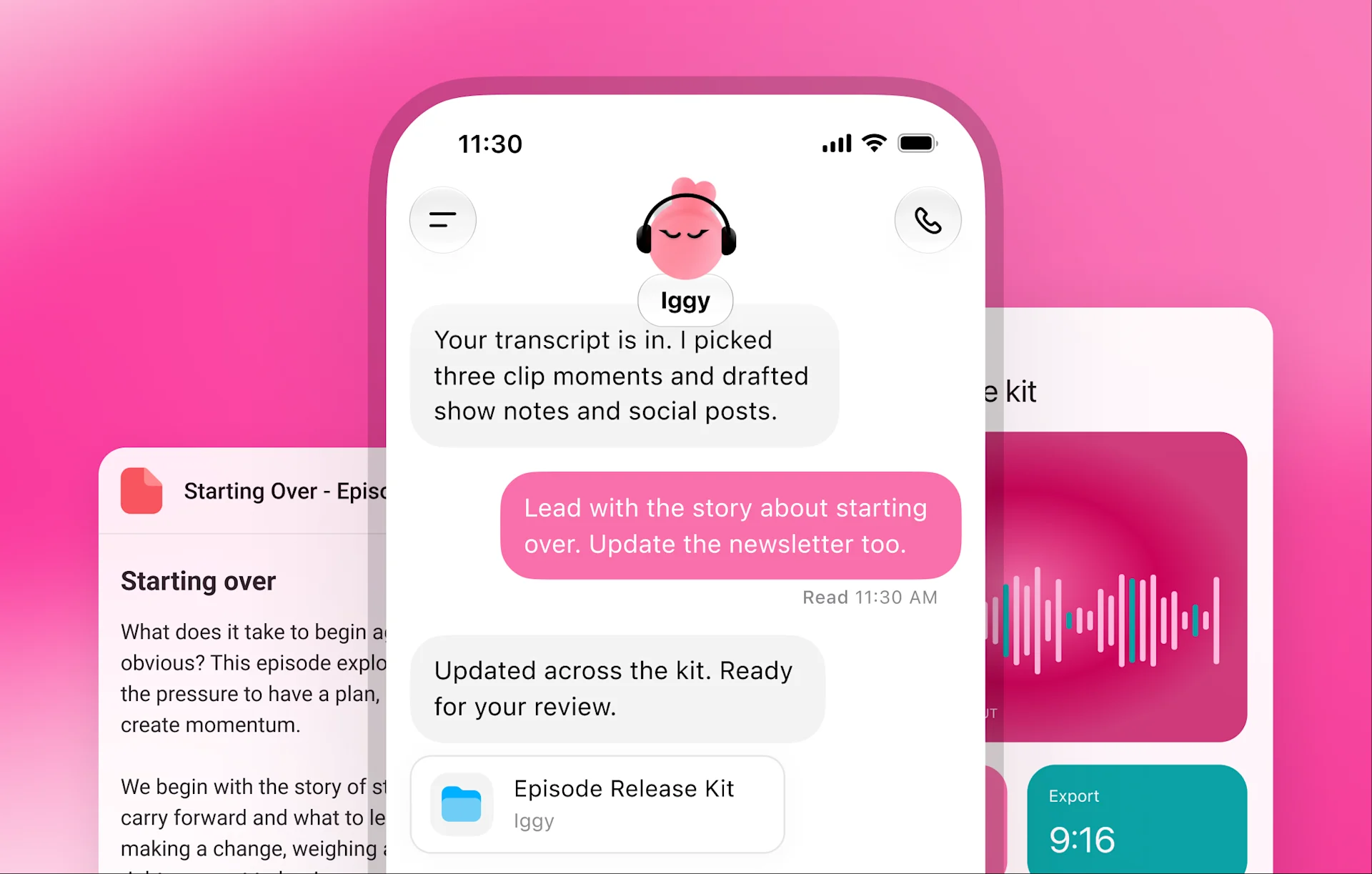
| Interview transcripts | Prepare show notes, social drafts and clip suggestions. |
| Repository and issue context | Investigate problems and prepare code changes through the connected development environment. |
OpenAI dot within ChatGPT; not the unrelated historical Dot companion app or a self-hosted agent package.
dot is provided by OpenAI (OpenAI OpCo, LLC). The product is available as an online service in beta.
OpenAI OpCo, LLC is a United States entity.
| Product relations | Part of ChatGPT. |
| Tagline | An always-on ChatGPT agent powered by GPT-6 Astra. |
| First released on | 2026-09-29 |
| Contact channels | Search the help center for setup, account and billing support. |
Official website · Launch url · Pricing url · Documentation url · Support url · Status url · Changelog url · Policy url · Terms url
| Legal urls | Service terms, privacy and applicable organization agreements. |
Open an image to inspect the interface without leaving this page.


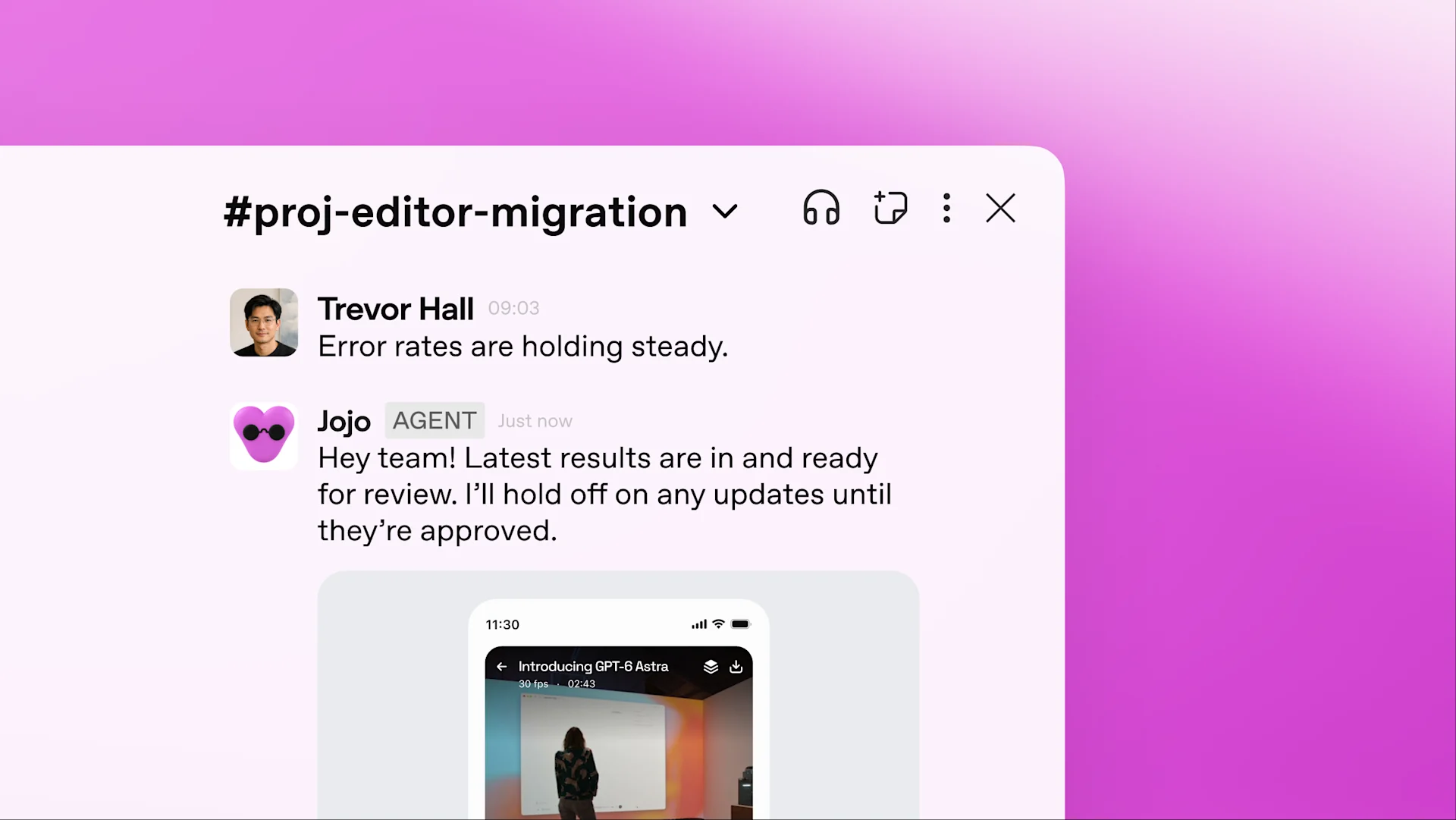
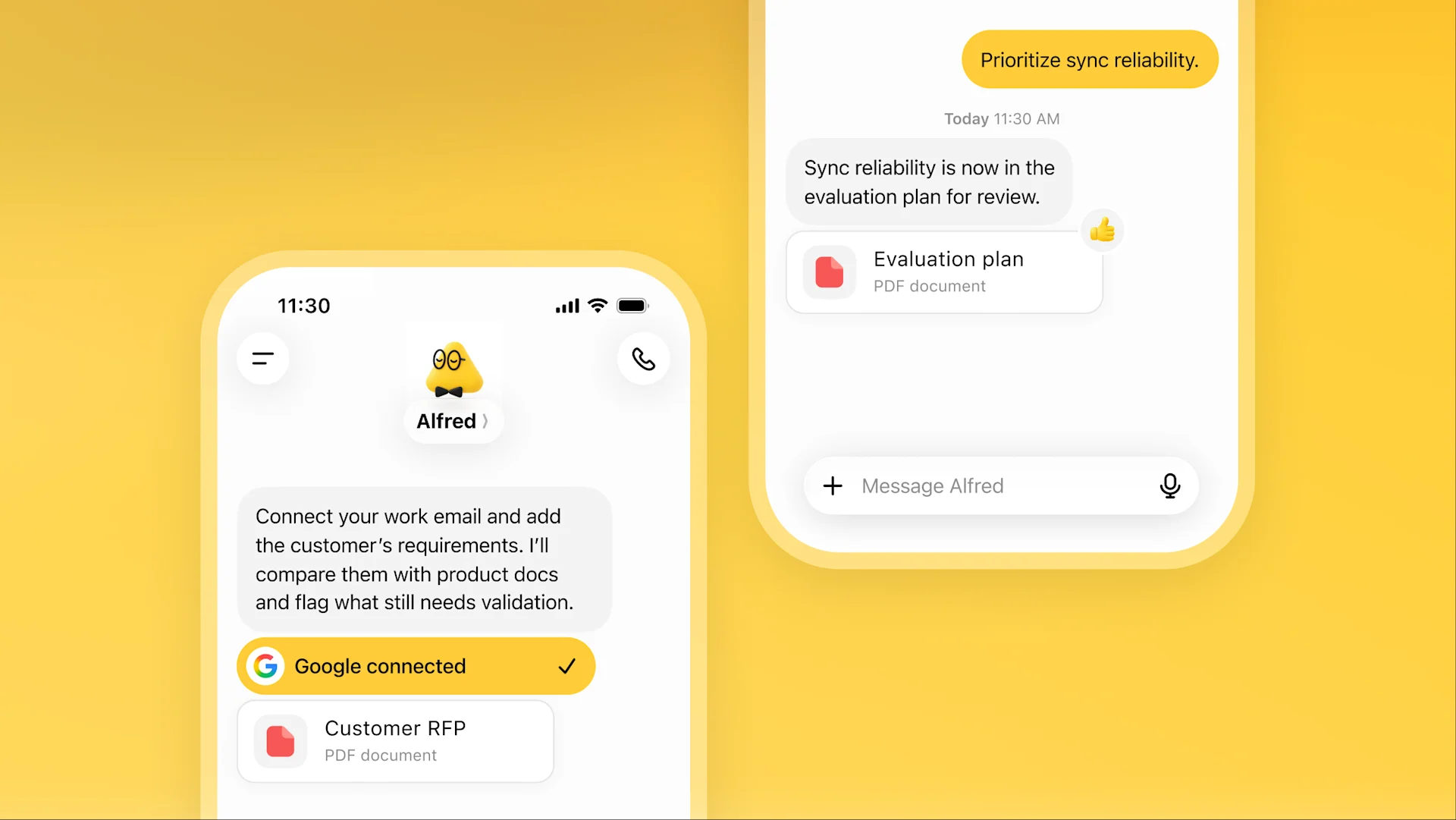
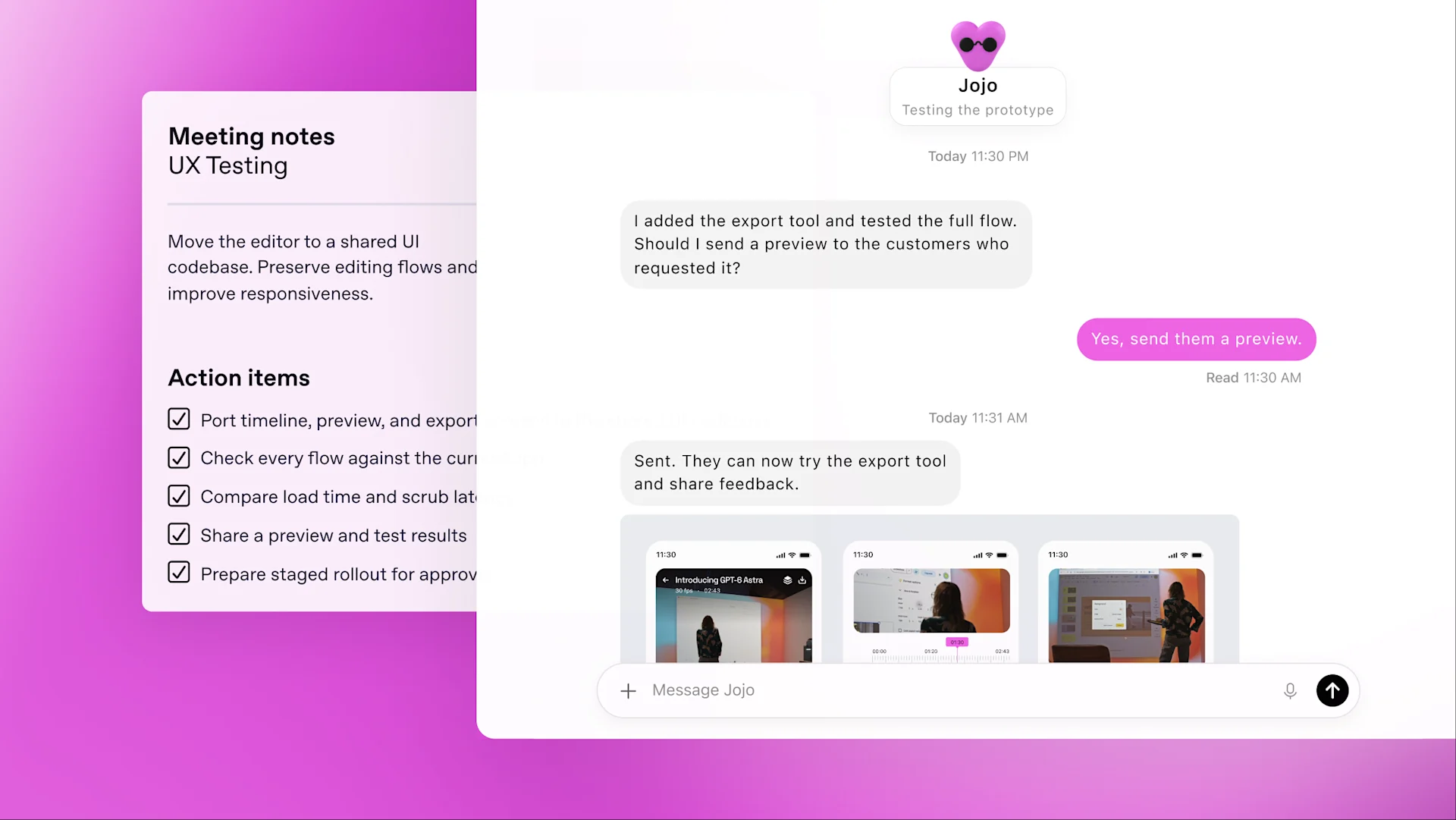
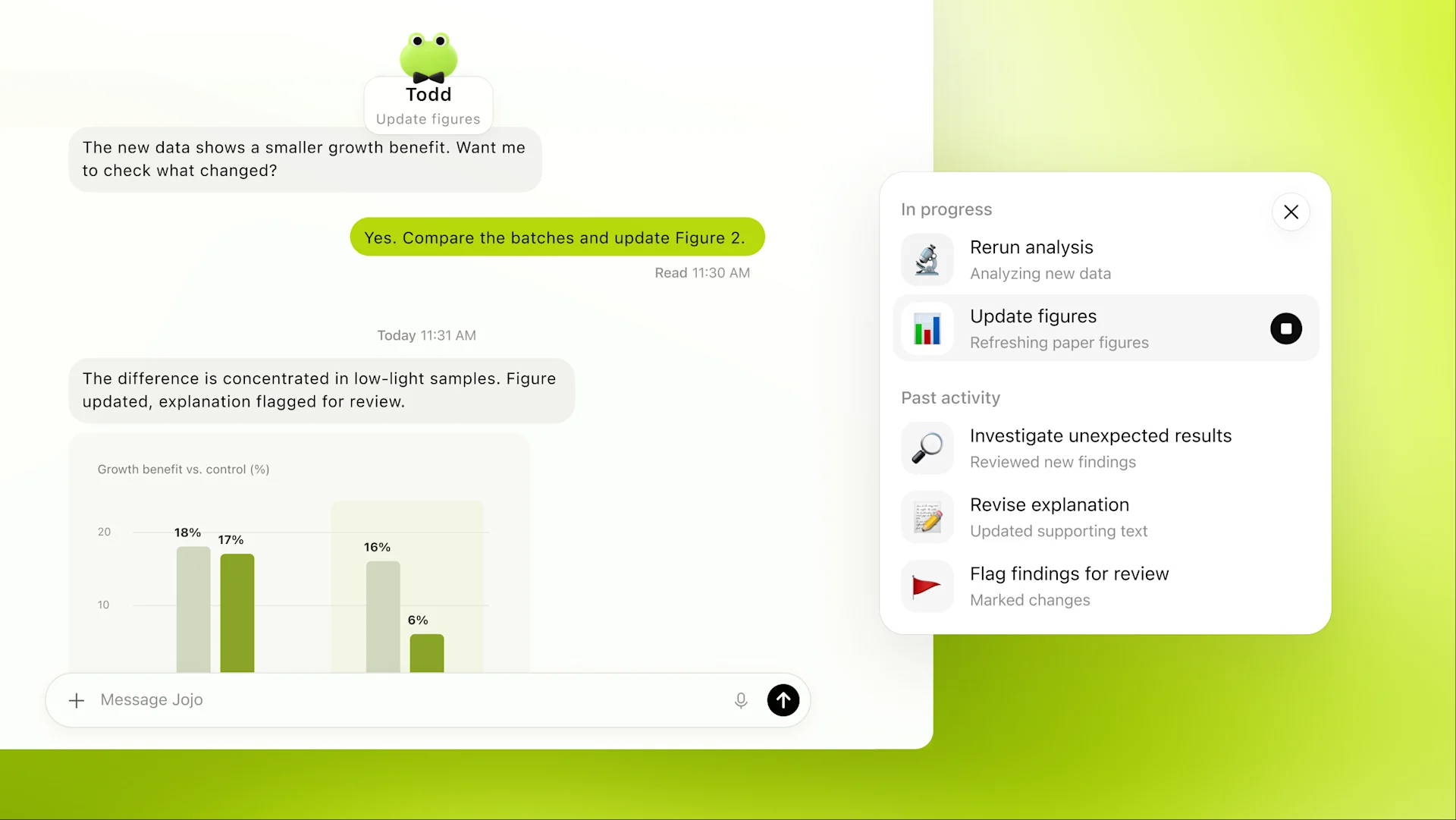
Assign ongoing work, add new information, and change priorities without starting over. dot can split a request into parallel background tasks.
Use a persistent cloud workspace for browsing, analysis, documents and software. Its files and browser sessions are separate from your own device.
Create work threads or coding tasks, inspect their outputs, and give follow-up instructions. Cloud coding uses a Codex environment you have configured.
Carry preferences, decisions and project notes into later conversations. dot's notes are separate from ChatGPT saved memory and are not a complete transcript.
Set a time zone, frequency, end date and notification destination. Supported connected services can trigger work when a specified event occurs.
Background research reads permitted sources and returns private notes. It cannot itself send messages, edit connected apps or operate a browser.
Start a call from the phone button, or type during the call. Ending the call does not cancel assigned work.
Open Activity to inspect task status and results. Open the cloud computer and choose Take over when you need to complete a browser step.
An optional computer connection makes local files, code, apps and skills available. Keep that device online with ChatGPT open while local tasks run.
Custom rules specify which actions may proceed, require permission, or must be handed to you. App access and built-in approval requirements still apply.
Background tasks receive the instructions and context needed for their assignment. They have their own conversations, rather than inheriting every dot conversation.
| Task | Where to continue it |
|---|---|
| Local Work or Codex | Use the connected computer; identify an existing Codex task when asking dot to continue it. |
| Cloud coding | Use a previously configured Codex cloud environment with the required repository. |
| Task already started | Continue in its original environment. Selecting another computer does not move the task. |
Use natural-language conversation to generate, analyze and retrieve information. dot can continue assigned work within its permissions.
| Primary category | Assistants |
| Product forms | website; desktop app; mobile app |
| Integration ecosystems | ChatGPT, ChatGPT Work, Codex |
dot uses GPT-6 Astra for ongoing work. You can provide text, images, audio, documents and code; the work can produce text, documents, code and actions through permitted tools.
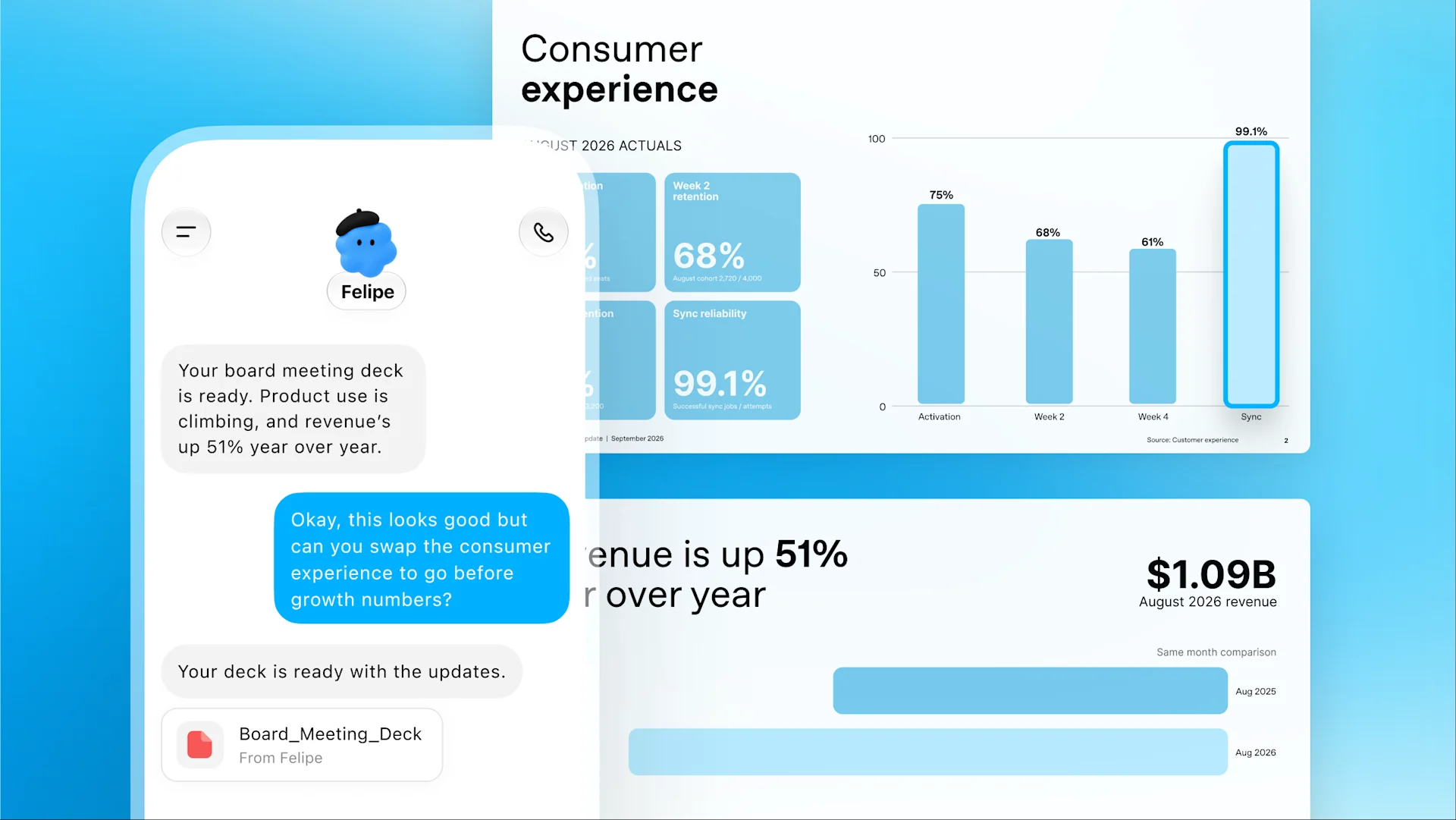
Track product and revenue changes, update a presentation, and prepare revised figures for the team after approval.
Identify dependencies, prepare code and tests, and track remaining calls to an API scheduled for retirement.
Turn interview material into show notes, captions and clip ideas, then carry revisions across the draft assets.
Track venue replies, budget decisions and deadlines; prepare responses and surface decisions that need the organizer.
Compare product changes with launch materials, then revise copy, slides and speaker notes for review.
Combine customer emails with product documents to compare requirements, identify what needs testing, and produce an updated evaluation plan for review.
Find recurring requests, define a focused change, implement it and run tests. The team can review the working change while larger development continues.
Before assigning ongoing work, define its goal, the evidence it can use, the result format and the point where you want a decision. Connect the required apps explicitly; desktop files and cloud-app authorizations are separate sources.
The assistant covers general research, writing and file work. It can fit individual, small-team and enterprise workflows, with the relevant plan and organization controls.
| Overview | Your dot learns how you work, uses ChatGPT memory, Codex, and connected apps, and keeps projects moving between conversations. You choose its focus and access, review its work, and change direction or pause anytime. |
| Problems solved | Combine source material, reuse context and prepare a reviewable first draft. |
| Primary jobs | Keep investor materials current; Prepare sales evaluation plans; Follow API migrations and app improvements; Draft show notes and social posts |
| Target roles | People responsible for ongoing projects; Developers; Sales leads and content creators |
| Experience level | Basic chat uses natural-language instructions; connected workflows also require permissions and result review. |
| Value proposition | Reduce manual collection and first-draft assembly while keeping a review step. |
| Unsuitable scenarios | Access is rolling out gradually by plan and market. Pro access initially excludes the EEA, Switzerland, and the UK; Enterprise requires admin enablement. You cannot currently create a dot on mobile or use it on mobile web. Deeper work has a plan allowance. |
| Manual alternatives | The corresponding manual workflow is to read sources, organize findings and edit the final document. |
Open Activity, then select a task to inspect its files, results and requests. Respond there when it needs a decision, connection, login or approval. Cloud threads also appear in the desktop, web and mobile apps, where you can give further instructions.
| Need | Action |
|---|---|
| Complete a browser step | Open the cloud computer, select Take over, then Return control when finished. |
| Different update destinations | Keep routine progress in ChatGPT and send decisions to Slack, or specify your preferred channels. |
Custom Rules define preferred behavior and approvals. Change priorities in conversation, review activity, or pause work. Pausing the main dot does not automatically stop already delegated tasks or future schedules; manage those separately.
Every Friday, prepare a draft update from the approved project folder. List completed work, blocked items and decisions; ask before sharing outside this chat.
Create your dot: Use dots in ChatGPT on desktop, complete setup, then choose its name and appearance. Connect relevant sources: Connect the apps needed for the project. Messaging channels and local-computer access are configured separately. Describe the responsibility: Specify the result, source material, priorities and decisions that need you. Attach files or photos when useful. Set actions and approvals: Define what it may change or send. Use Custom rules for recurring boundaries and plugin permissions for app actions. Set the update pattern: Choose where updates go and what warrants an interruption. For recurring work, request and confirm a saved schedule. Review and steer: Inspect outputs and outstanding requests in Activity. Add context or change priorities in the ongoing conversation. Stop the intended work: Pause the main task, stop delegated tasks in Activity, and cancel future runs in Scheduled separately.
Set recurring schedules or supported event triggers, and review delegated parallel tasks. Save output files before resetting dot; saved files, Codex tasks and ChatGPT conversations have separate lifecycles.
Prepare sample materials you have permission to use. Every Friday, prepare a draft update from the approved project folder. List completed work, blocked items and decisions; ask before sharing outside this chat. Review the draft and save the result.
ChatGPT Work is a partial alternative for ongoing and recurring work. Its working environment and connected-app ecosystem differ. Compare the output you need and required permissions; this is a workflow comparison for 2 October 2026.
| Connection | Availability | What it does |
|---|---|---|
| Gmail / personal email | Supported connection required; no standalone dot email address at launch | Find relevant mail through a connected account; sending follows the account's action permissions. |
| Google Drive | Install, connect and authorize the plugin | Read and update permitted documents through its plugin connection. |
| GitHub | Connected GitHub account and repository permissions | Investigate issues and prepare code changes using authorized repository access. |
| Slack | Available; desktop setup and workspace approval may be required | Direct-message dot or mention it in a channel. Specify monitoring tasks separately from joining a channel. |
| Microsoft Teams | Invite-only alpha | Continue the relationship through a connected Teams contact method. |
| Text messages | Limited US Pro beta; unavailable in Business and Enterprise | Connect a phone from desktop when the beta is enabled. Reply STOP to stop outgoing texts; carrier charges may apply. |
| Codex cloud environment | Create the environment in Codex first | Run coding tasks with an existing repository and setup configuration. |
| Connection | Scope |
|---|---|
| Messaging | A place to talk and receive updates; connect mail, files and other apps separately. |
| Computer access | Granted from dot's profile, independently of Codex connections or Work Sync. Offline status retains the grant; Revoke access removes it. |
| Browser login | The cloud has its own website sessions. An active session can persist until logout or expiry. |
| Camera, microphone or screen | Requires a connected computer and the corresponding ChatGPT device permission. |
dot has a cloud Linux computer and Chrome browser. Optional local-computer access connects one device; local work requires that device online with ChatGPT running. Its app connections and browser sign-ins are configured separately from those used in Work or Codex.
| Platform / account | Status | Details |
|---|---|---|
| Desktop web | Supported | Create a dot and use its conversation and cloud workspace. |
| ChatGPT desktop app | Supported | Create and personalize dot, inspect Activity, and connect the current computer. The app is available on Windows. |
| ChatGPT mobile app | Rolling out | Continue with a dot created on desktop after the supporting app update becomes available. |
| Mobile web | Unsupported | Use the mobile app for supported mobile conversations. |
Desktop web or the ChatGPT desktop app is used to create a dot. The optional local-computer connection needs the chosen device to stay online with ChatGPT open; cloud tasks use their own environment. Mobile-app conversation follows rollout, while mobile web is unsupported.
Pro dot access excludes the EEA, Switzerland and the UK at this stage. Business Premium follows supported ChatGPT regions; Enterprise, Edu and Healthcare need administrator enablement. A ChatGPT account and internet connection are required.
| Supported platforms | Create on desktop web or the ChatGPT desktop app; mobile-app conversation becomes available during rollout, while mobile web is unsupported. |
| Support languages | English product documentation is available. |
| Subscription | Price | Included usage | Billing and access |
|---|---|---|---|
| Personal Pro | Pro 100: USD 100 / month Pro 200: USD 200 / month Pro 500: USD 500 / month | All three tiers include a first dot and deeper-work allowance. Pro 200 has more overall usage than Pro 100; Pro 500 has the highest included usage. | Billed monthly; no annual billing. Dot regional eligibility applies. Ultrafast is a Work/Codex plan feature. |
| Business Premium | Monthly: USD 125 / user / month Annual: USD 100 / user / month USD 1,200 / user billed annually | Both billing options include a first dot with the same Premium seat type. | At least two total workspace seats. Standard and Premium seats can be mixed. |
| Enterprise / Edu / Healthcare | Contact sales | Eligible workspaces can enable the dot beta. | Workspace contract. Off by default; administrator grants access and capabilities. |
For web subscriptions, request a refund through Help Center while signed in to the charged account. Accidental purchases are generally eligible when reported within 14 days. Apple purchases use Apple’s refund process; regional rules and purchase channel affect eligibility.
An eligible paid subscription is required; dot has no separate free tier.
Subscriptions renew automatically until canceled through the original billing channel. Applicable taxes vary by location.
Delegated Work and Codex tasks use their normal product allowance. Eligible additional usage can use credits; messaging and data fees from your carrier may also apply.
The first dot and deeper-work allowance are included, with extended launch-month limits. dot conversations do not count toward ChatGPT limits; delegated Work/Codex tasks use their usual allowance.
Administrator-enabled beta access.
App permissions control what dot can reach. Rules and action review determine whether it can act on that information.
Purchases require authorization. Password changes and money transfers must be completed by you; required checks cannot be removed with a custom rule.
Supported login forms send credentials directly to the browser environment outside the conversation. Saved-log-in reuse requires confirmation.
Disconnecting an app stops new access, but retains existing dot context. Individual dot memories currently cannot be directly viewed, edited or deleted.
Personal-plan model improvement follows Data controls. Business, Enterprise and Edu content is excluded from model training by default.
Deletion removes its own context. Separately stored files, Codex threads and ChatGPT conversations remain; manage ChatGPT memories separately.
Admins manage dot access, cloud capabilities, local-computer access, messaging and custom rules. Enterprise default model selections do not control dot's model.
In Settings → Personalization → Permissions → Custom rules, define an action and choose automatic execution, execution when explicitly requested, approval each time, or handoff to you. These choices apply alongside app permissions and required checks.
dot's retained context excludes credentials, images and screenshots. Files in ChatGPT Library, your computer or connected storage follow that location's retention policy. Deleting dot clears its context while separately stored files and conversations remain.
You keep your input rights. Output rights are assigned to you to the extent allowed by law and the service terms; third-party material and dependencies keep their own terms.
dot runs as a hosted product. Installing its official client does not deploy the full service on your own server. Generated files and scripts can be used separately where export is supported.
| Supported modes | OpenAI-hosted cloud computer; optional connection to one local computer. |
| Generated code license | Generated code is covered by the output terms; included third-party dependencies keep their separate licences. |
| Third party rights | Third-party material can carry separate terms; a generated response does not itself establish a licence to all quoted material or dependencies. |
Business supports MFA, member/admin/owner roles and SAML SSO. Enterprise, Edu and Healthcare add SCIM and more granular role controls. Business data uses encryption at rest and in transit and is excluded from training by default.
Disconnecting an app blocks new access but does not erase information already brought into dot’s context. Resetting dot clears its working context; separately saved files, delegated Codex tasks and ChatGPT conversations have their own lifecycle. Manage shared ChatGPT memory separately.
Using the service can involve account details, prompts, files, generated outputs and device or usage information. Paid services also process billing details; optional app connections bring in the information you authorize.
Delete individual chats, memory or the account, or submit a request through privacy.openai.com. Organization offerings support a DPA and publish SOC 2 Type 2 and ISO/IEC 27001 assurance information. BAA eligibility applies to specified Healthcare or API arrangements.
| Training use | You choose connected apps and can optionally grant local-computer access, which starts off. Personal-plan training follows your model-improvement setting; Business and Enterprise content is not used for training by default. Disconnecting an app does not delete information already obtained by the dot. |
Local-computer tasks need that device online. Pausing dot does not cancel existing delegated tasks or future schedules. Disconnecting a source stops new access but does not erase prior context. Purchases need authorization; password changes and financial-account transfers remain your actions.
No. It can coordinate several responsibilities and delegated tasks through one continuing relationship.
Cloud tasks can continue. Work using a connected computer needs that device online with ChatGPT open.
No. dot conversations do not count toward ChatGPT limits, but its Work and Codex tasks use their normal allowances. Deeper work has a plan allowance.
No. Credits extend eligible features after included usage; they do not bypass feature access, app permissions or workspace spending controls.
No. Specify the channel, events, timing and notification rules, then confirm the recurring or event-based task.
Only its owner can direct it. Other people's mentions or direct messages do not start work for that dot.
No. Each channel keeps its own messages. Relevant context can carry across, but sharing private information with another audience requires permission.
Not at launch. You can initiate a call from its ChatGPT conversation.
Pause stops the main task. Delegated tasks and saved schedules need separate stops or cancellation.
No. It stops memory sharing, while information already held by dot remains in its context.
Not automatically. The cloud computer has separate sessions and does not inherit your local VPN or device policies.
No. Enterprise model controls and default selections do not apply to dots; dot access and capabilities have separate controls.
| Key takeaways | An always-on ChatGPT agent powered by GPT-6 Astra. First dot included in eligible Pro or Business Premium plans; Enterprise beta requires admin enablement. Access is rolling out gradually by plan and market. |
| Pros | Use ChatGPT memory and the apps you choose to connect; Take ownership of an ongoing responsibility; Keep making progress between conversations |
Information checked: 2026-10-02
View source · OpenAI
Topics: Name · Record scope · Tagline · Vendor name · Lifecycle status · Official website · Launch url · Documentation url · Support url · Contact channels · Primary category · Secondary categories
View source · OpenAI
Topics: Pricing url · Product forms · Offered regions · Access model · Summary · Free tier · Checked at · Product relations · Input modalities · System requirements · Account requirement · External costs
View source · OpenAI
Topics: Training opt out · Training use · Sensitive data guidance
View source · OpenAI
Topics: Prerequisites · Integration ecosystems · Problems solved · Use cases · Batch and workflow · Example prompts · Value proposition · Manual alternatives
View source · OpenAI
View source · OpenAI
Topics: Problems solved · Use cases · Output modalities · Customization · Batch and workflow · Retention policy · Example prompts · Value proposition · Manual alternatives
View source · OpenAI
Topics: Prerequisites · System requirements · Integrations · Supported modes · Known limitations
View source · OpenAI
Topics: Problems solved · Use cases · Customization · Retention policy · Export exit options · Known limitations · Example prompts · Value proposition · Manual alternatives
View source · OpenAI
Topics: Retention policy · Export exit options
View source · OpenAI
View source · OpenAI
View source · OpenAI
Topics: External costs
View source · OpenAI
View source · OpenAI
Topics: First released on · Changelog url
View source · OpenAI
Topics: Terms url · Legal urls · Vendor legal name · Vendor jurisdiction · Product open source status · Self host status · Ownership terms · Third party rights · Generated code license · Renewal cancellation · Tax treatment
View source · OpenAI
Topics: Encryption claims · Assurances · Access controls · Enterprise identity · Enterprise agreements
Sign in to comment, save tools and rate them. You can edit or withdraw your own records. Saved tools are private. Comments are published after moderation and return to review after editing. Rating totals include only valid, approved ratings.
dot uses ChatGPT context and Codex for tasks.
FindGoodAI current WordPress records and interaction implementation ↗
Loading experiences…
Saved tools are private. Approved comments are public; edits return to moderation. Comment counts include approved comments and replies. Each person has one rating. New ratings are automatically approved; withdrawn, unapproved or invalid ratings do not count. Share real experiences and avoid spam, private information or personal attacks.
For moderation appeals or data requests: support@findgoodai.com

User experiences